Can you store electronics in storage units? Absolutely!
Storing electronics in a storage unit can be a great way to free up space in your home or office while keeping pricey devices safe. Whether you’re storing personal gadgets like laptops and headphones, large household electronics like TVs and game consoles or essential office equipment such as printers, monitors and telephones, taking the right storage approach can make all the difference.
By properly preparing and packing your items, you’ll protect them from potential damage caused by dust, moisture and temperature fluctuations. With the right techniques, you can ensure your electronics stay in perfect working condition, no matter how long you keep them in storage.
Remember, whether you need space for household storage or business storage, we’ve got plenty of other expert guides to help you store your belongings safely, securely and affordably. Our blog covers topics such as how to find the best storage unit, how to store a sofa and whether business storage tax deductible.
Now, without further ado, here are our practical tips on storing everything from household devices to business equipment, ensuring they remain secure and functional until you need them again.
Preparing Your Electronics for Storage
Storing your electronics safely begins with proper preparation. Before you box up your gadgets, taking a few simple steps will ensure they remain in good working condition when you’re ready to use them again.
Back-Up Your Data
Before storing any digital device, it’s always worth backing up your files and media. Computers, laptops, hard drives, old iPods and even phones can fall victim to unexpected damage during storage, and the last thing you want is to lose important documents or cherished photos and videos.
You can use an external hard drive or cloud storage services like Google Drive, iCloud or Dropbox to safeguard your data. This way, even if your device has issues later on, your files will be safe and easily accessible.
Clean & Inspect Your Electronics
Over time, dust and dirt can accumulate in electronic devices that may cause damage over time, which is why you should clean all your devices before storing them. Fortunately, cleaning can be pretty straightforward, simply use a microfiber cloth or anti-static brush to remove dust from screens, vents and ports.
For stubborn dirt, a can of compressed air can be useful to clear out any particles from hard-to-reach areas. While you’re cleaning, inspect your electronics for any signs of wear or damage. If something needs repairing, it’s best to get it done before putting it in storage.
Remove Batteries
Batteries can be a problem if left inside electronics for too long, as they tend to leak and corrode over time. This can lead to serious and sometimes irreparable damage, which is why it’s essential to remove them before putting your devices away for long periods of time.
Once removed, store batteries separately in a cool, dry environment and ensure they’re kept in a protective case. This simple step can save you from paying for costly repairs (or replacements) later down the line.
Packing Electronics for Storage
Once your electronics are prepped, it’s time to pack them securely. Proper packing will help keep your devices organised and shield them from dust, moisture and accidental damage.
Use Original Boxes If Available
If you’ve kept the original boxes and packaging your electronics came in, this is the best option for long-term storage. The original packaging is designed to fit your device snugly and provide protection from impacts. It also typically includes foam inserts or other materials to keep your electronics in place, reducing the risk of movement during storage.
Alternative Packing Materials
If you don’t have the original packaging, don’t worry! You can still pack your electronics securely with a few protective materials. Use sturdy boxes that are just big enough for your devices and line them with bubble wrap or anti-static packing peanuts to prevent movement.
Be sure to use anti-static materials for sensitive electronics, as regular packing materials can create static electricity that may damage delicate components.
Pro Tip: Avoid using cling film as this can trap moisture and cause condensation that could leak into your devices.
Label & Secure Cables
Have you ever opened a box of cables only to find them in a tangled, spaghetti-like mess? We’ve all been there.
To avoid this, neatly wrap and secure all cords and accessories with cable ties or Velcro straps. You might also want to consider placing smaller accessories, like chargers or remotes, in clear plastic bags to keep everything organised and easy to find.
Pro Tip: If you have a lot of cables, it’s worth labelling them individually so you can easily match each one with the right device later.
Storing Electronics in Storage Units
Even with careful packing, how you store your electronics inside the unit is crucial to keeping them safe. By organising your items thoughtfully and protecting them from potential risks like moisture or temperature fluctuations, you can ensure your electronics stay in top condition while in storage.
Choose a Dry, Clean Unit
The first step is ensuring you’re using a dry and clean storage unit. Humidity, dust and dirt can all cause problems for electronics, which is why it’s essential to store them in a space that protects them from the elements.
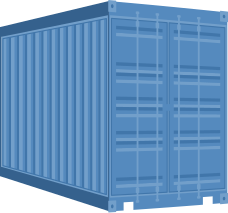
At Pay Less For Storage, all our units are converted shipping containers — the same shipping containers that are used to transport electronic goods all over the world.
Pro Tip: For more information on how to avoid moisture build-up, take a look at our guide on how to prevent condensation.
Temperature Considerations
Extreme temperatures can damage electronics, causing components to overheat or become brittle. Fortunately, there are steps you can take to mitigate the impact.
First, try to place electronics away from the doors, where temperature fluctuations are more likely to occur. If you’re storing particularly sensitive items like high-end audio equipment or servers, consider investing in thermal insulation covers for extra protection.
Keep Electronics Off the Ground
Even in the cleanest and driest storage units, it’s always a good idea to raise your electronics off of the floor to help prevent potential moisture or dirt from reaching them. You can place boxes on shelving units or pallets to elevate your items, offering an extra layer of protection from the ground.
Avoid Stacking Heavy Items
When arranging your storage unit, be cautious about what you place on or around your electronics. Avoid stacking anything heavy on top of them, as this can lead to damage.
If you need to stack boxes, ensure that electronics are placed on sturdy surfaces or on top of other stable items that won’t buckle under their weight. It’s always safest to give your electronics their space to prevent accidental damage or falls.
Insurance
From TVs and laptops to smartphones and speaker systems, electronics are often the most expensive items we own, and even older devices that may seem obsolete today could become valuable in the future. That’s why it’s a good idea to consider insuring the contents of your storage unit.
Even with the best packing and storage techniques, accidents (often outside of our control) can still happen. Self storage insurance ensures you’re covered if anything goes wrong, giving you peace of mind while your electronics are in storage.
Pro Tip: If you’re storing anything related to your business, such as inventory or office equipment, you’ll need to get self storage business insurance.
FAQs
Is it okay to put electronics in a storage unit?
Yes, you can safely store electronics in a storage unit, but it’s important to prepare them properly. Clean, pack and store them in a dry, cool environment to avoid potential damage from dust, moisture and fluctuating temperatures.
Is it okay to store a TV in a storage unit?
Yes, but ensure the TV is packed securely in its original box or with adequate padding. Keep it upright and avoid placing heavy items on top of it to prevent screen damage.
How long do electronics last in storage?
Electronics can last for many years in storage if they are properly packed and stored in a suitable environment. Regular checks and ensuring the storage space remains dry and free from extreme temperature changes will help extend their lifespan.
How to protect electronics in a storage unit?
Use protective packing materials like bubble wrap and anti-static materials, remove batteries and keep electronics raised above the floor. Store them in a cool, dry area and avoid stacking heavy items on top of them.

Matt Wallace
Matt is a Director of Pay Less for Storage. He blogs tips for storage customers and helps them navigate self storage.

Looking for
self storage?
Here are our self storage
locations across the UK